Onboarding
Configuring minimum permissions
It is supported to limit the CheckID permissions to User.Read.All, CustomSecAttributeAssignment.Read.All and the Authentication Administrator role on an Administrative Unit.
On this page
To simplify onboarding of CheckID as much as possible, we request the permission UserAuthenticationMethod.ReadWrite.All, which grant access to create a Temporary Access Pass for each user (And also reset other authentication methods).
It is supported to limit the CheckID permissions to the following:
| Permission | Why it’s needed |
|---|---|
| User.Read.All | Allows CheckID to locate and read user account details in your tenant |
| CustomSecAttributeAssignment.Read.All | Enables CheckID to read custom attribute assignments. This permission has no effect unless the CheckID service principal is explicitly assigned the Attribute assignment reader role in Microsoft Entra. |
| Authentication Administrator role on an Administrative Unit | Grants CheckID access to manage authentication methods for users, but only the members of an administrative unit, instead of all users in your tenant. |
Steps
Add CheckID app and consent
In this situation, you cannot use the default user interface for admin consent.
Instead, you need to add the CheckID app using the below PowerShell:
# Connect your PowerShell session
Connect-MgGraph -Scope Application.ReadWrite.All, AppRoleAssignment.ReadWrite.All

$CheckID = Get-MgServicePrincipal -Filter "AppId eq 'b1c6646a-37c6-4a69-ae96-d6468e2c2a89'"

if(!$CheckID) {
    $CheckID = New-MgServicePrincipal -AppId "b1c6646a-37c6-4a69-ae96-d6468e2c2a89"
    Write-Host "Sleeping 20 seconds for Entra ID to replicate"
    Start-Sleep -Seconds 20
}
$MicrosoftGraph = Get-MgServicePrincipal -Filter "AppId eq '00000003-0000-0000-c000-000000000000'"

# Add permission user.read.all
Invoke-MgGraphRequest -Uri "https://graph.microsoft.com/v1.0/servicePrincipals/$($MicrosoftGraph.id)/appRoleAssignments" -Method POST -Body @{
    principalId = $CheckID.Id
    resourceId = $MicrosoftGraph.id
    appRoleId = "df021288-bdef-4463-88db-98f22de89214"
} | out-null

# Add permission CustomSecAttributeAssignment.Read.All
Invoke-MgGraphRequest -Uri "https://graph.microsoft.com/v1.0/servicePrincipals/$($MicrosoftGraph.id)/appRoleAssignments" -Method POST -Body @{
    principalId = $CheckID.Id
    resourceId = $MicrosoftGraph.id
    appRoleId = "3b37c5a4-1226-493d-bec3-5d6c6b866f3f"
} | out-null
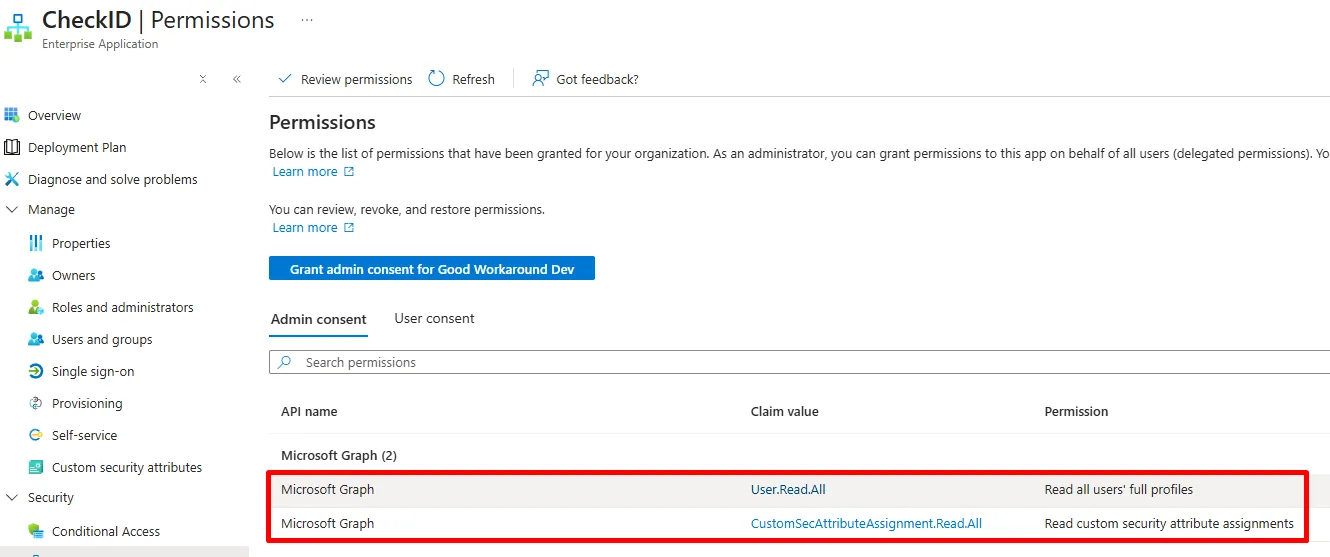
At this point, you'll see that CheckID has only two permissions and not currently access to create TAPs:
Create AU and grant CheckID access
In Entra ID, find Administrative units and click + New administrative unit.
Name the AU something that makes sense for your environment.
Do not configure it as a Restricted management administrative unit.
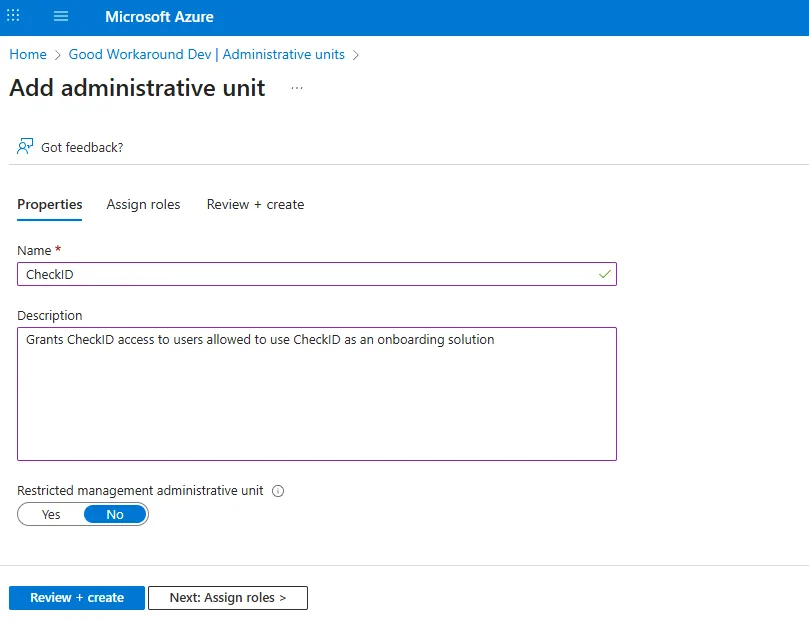
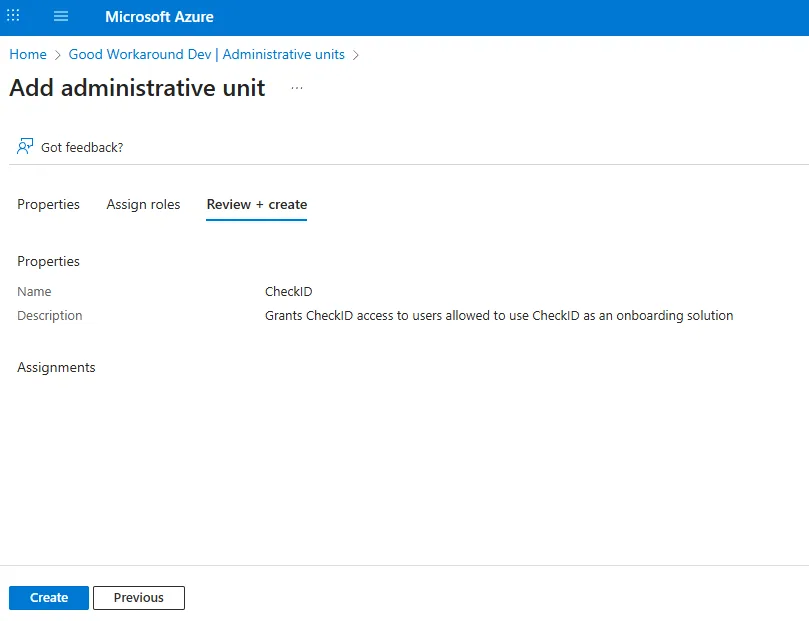
Click Review + create (It is not currently possible to grant Service principals access during creation)
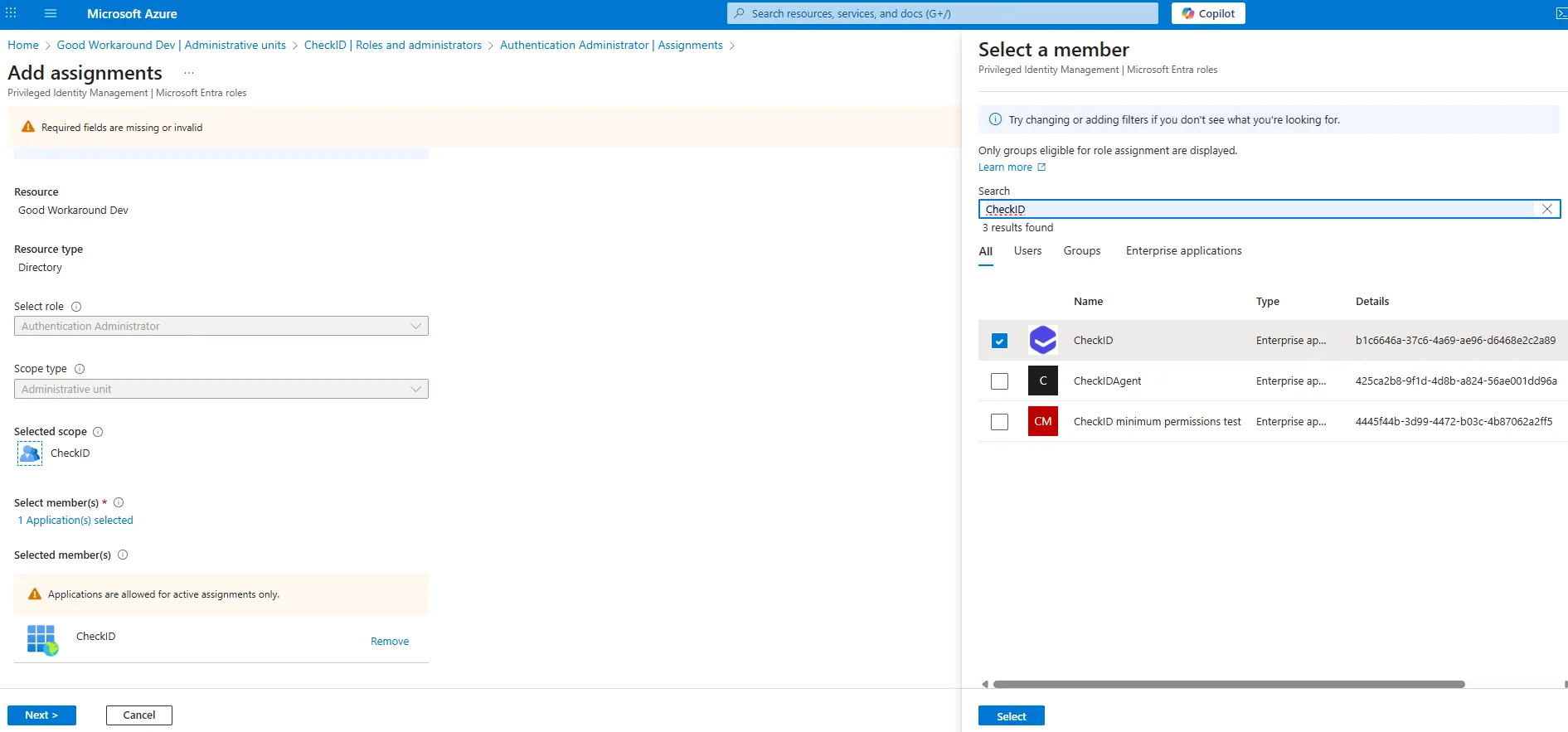
Open your administrative unit, go to Roles and administrators and click on Authentication Administrator:
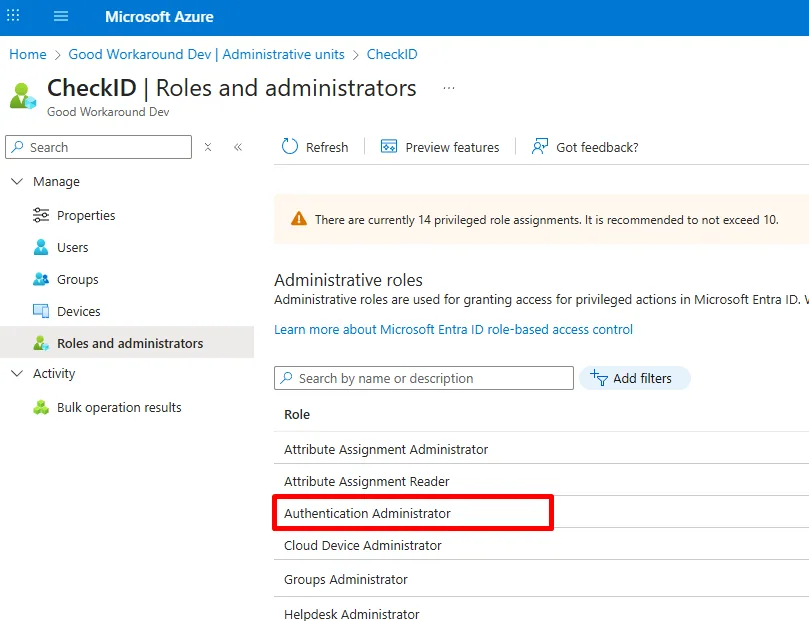
Locate CheckID as the member:
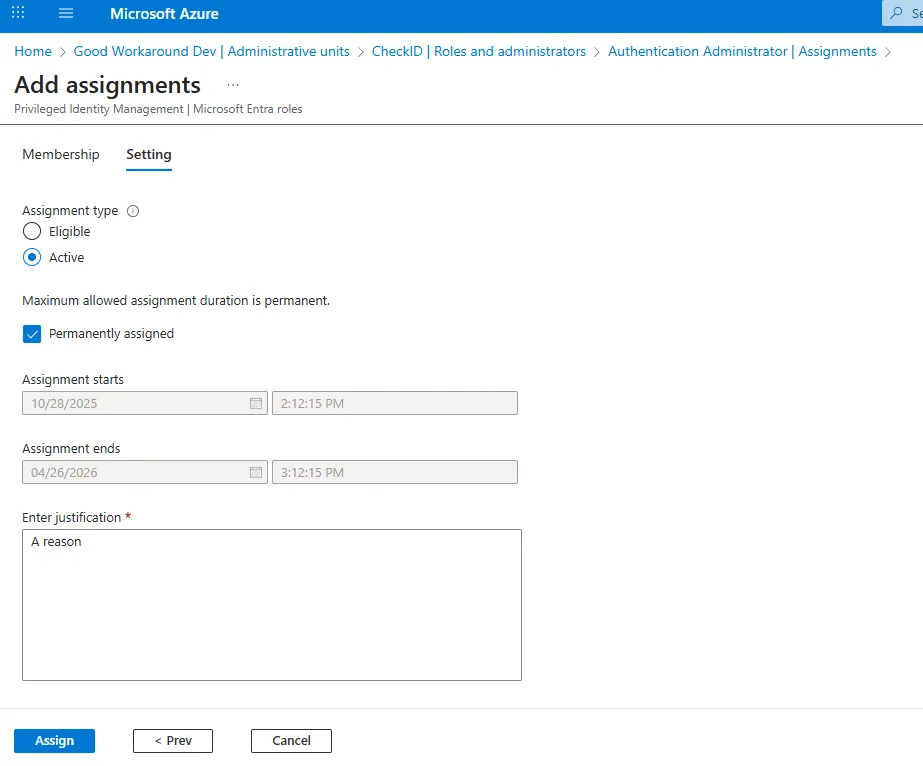
Input a justification and click Assign:
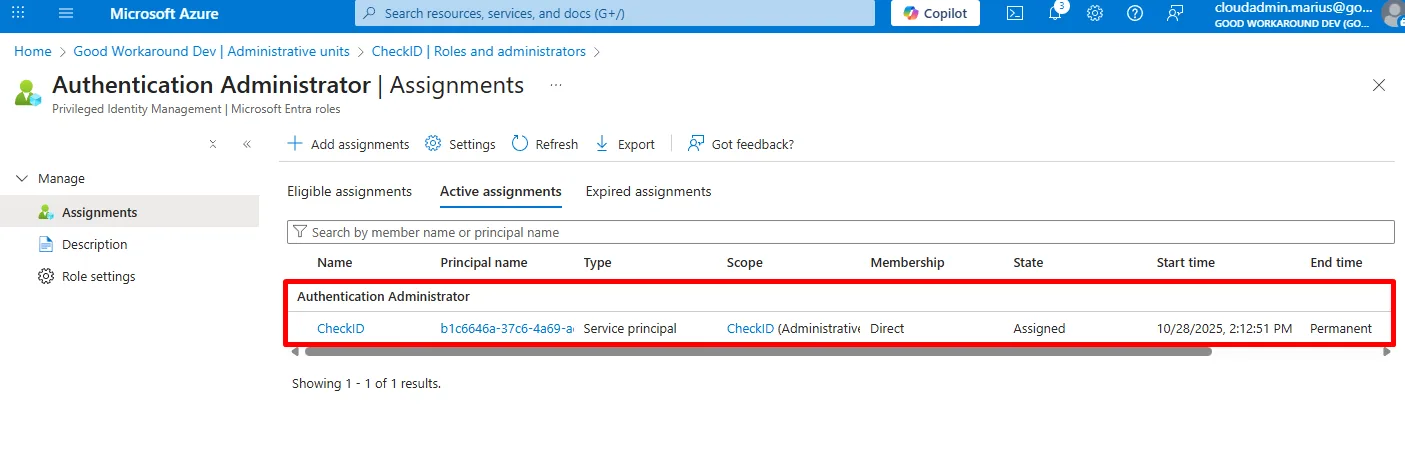
Your environment should now look something like this:
Custom security attribute access
Following the Custom Security Attributes part of the guide