IAM Core
Custom attributes
Identity UniverseThe core objects have a fixed schema, but you can extend these with custom string attributes. You can add these on any of the core object types.
The attribute’s name must start with custom/, for example custom/businessRole. The source and target attributes must both be strings.
Custom attributes are not listed when querying the core schema, for example with Get-IAMCoreSchema.
To configure in a Sync Rule, go to Attribute Flows and click JSON. Then add a proper attribute flow using JSON.
JSON
  {
    "$type": "string",
    "value": {
      "$type": "attribute",
      "attribute": "businessRole"
    },
    "joinPriority": null,
    "targetAttributeName": "custom/businessRole",
    "nullFlow": false
  }
Click Review and save. The flow will be visible in the attribute flow editor.
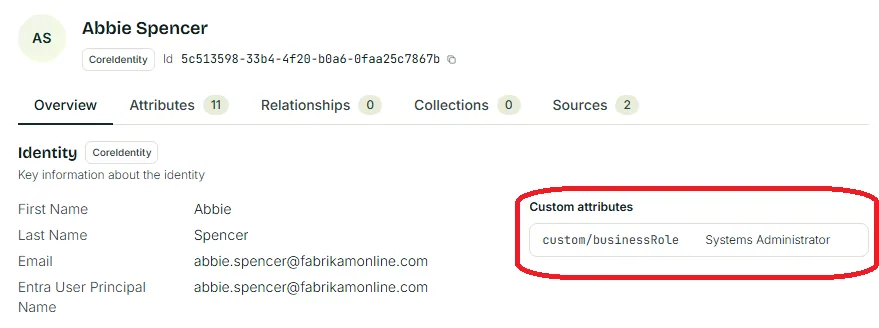
After synchronization of the identity has completed, any custom attribute can be seen in Identity Explorer on the user.
Last updated 5 November 2026
Edit this page on GitHub