Installation - Cloud only students
Consenting access to Entra ID
If you have cloud only students, you need to consent to this application in order to grant read access. Next, in order to follow the principle of least privilege, we need to create an administrative init (AU) with all student accounts and grant the consented application the Password administrator role on the AU only, in order for the service to be able to set passwords.
Create administrative unit
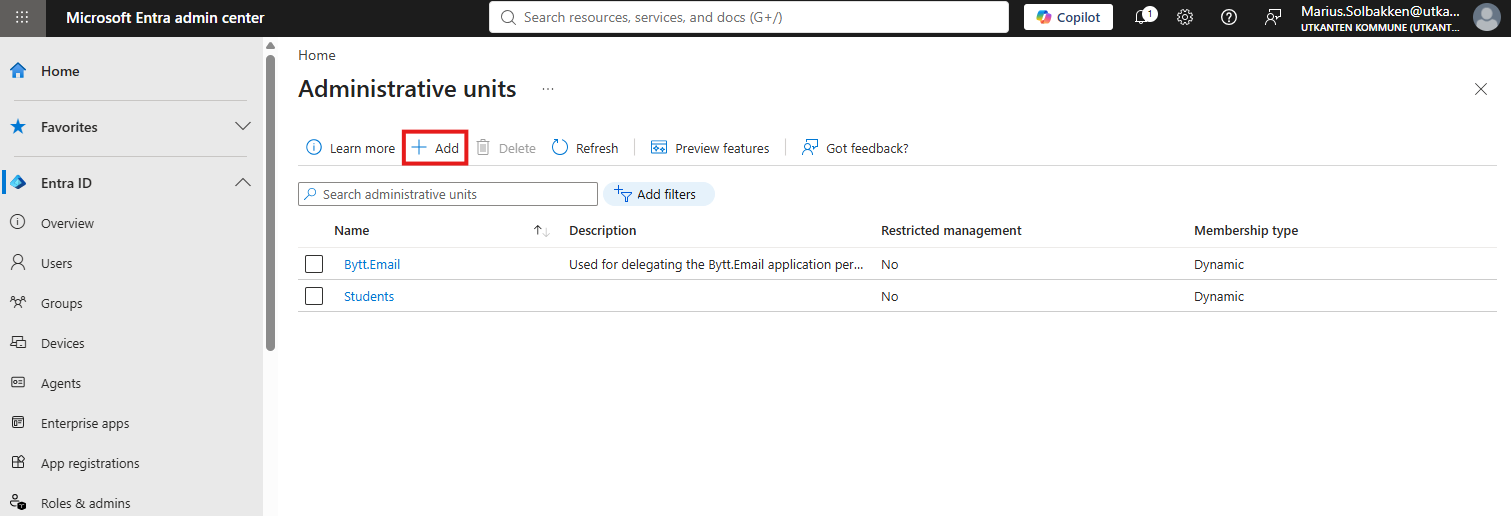
In the Entra portal, search for Administrative unit and click + Add:
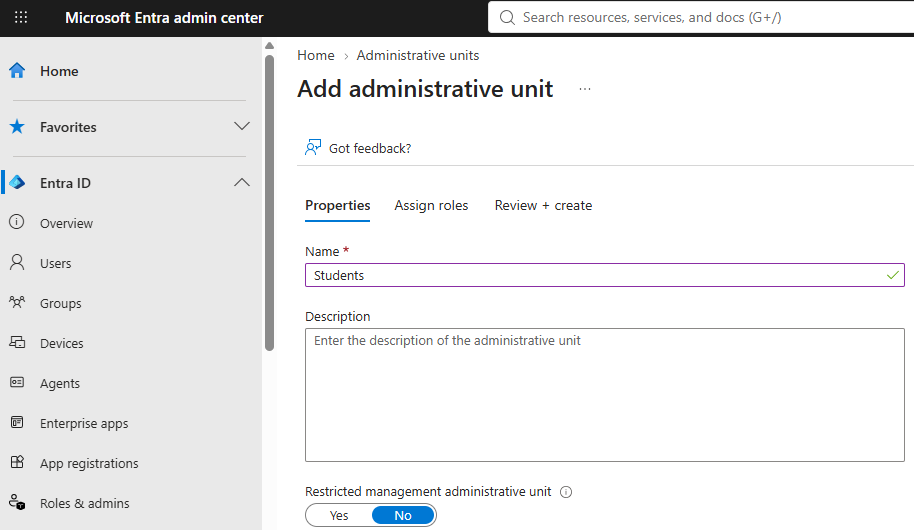
Give the AU a name, and click through all creation steps without assigning roles (You cannot grant a service principal access during this phase, for some reason):
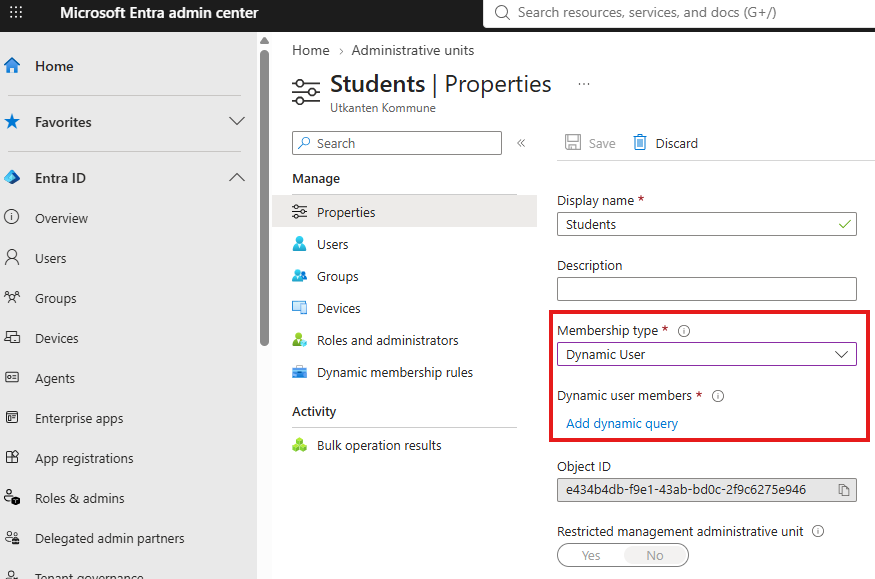
Now, click on the AU you just created and update the membership type to Dynamic user:
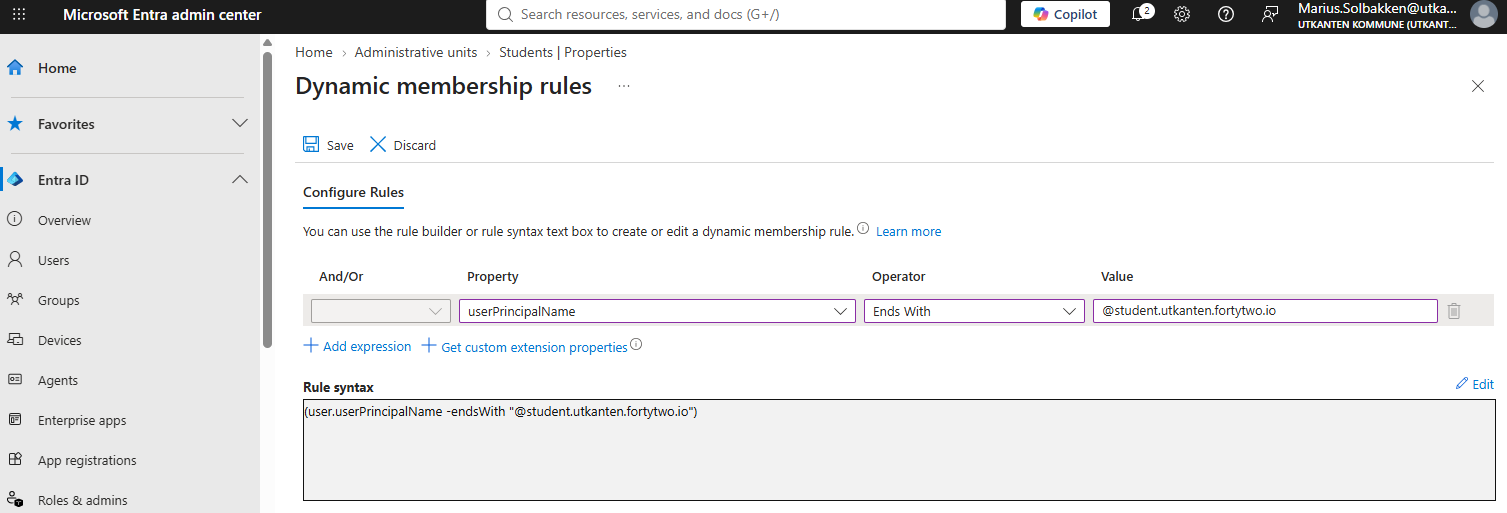
Define a criteria that matches your students:
Last, under Roles and administrators, locate Password administrator and click +Add assignment:
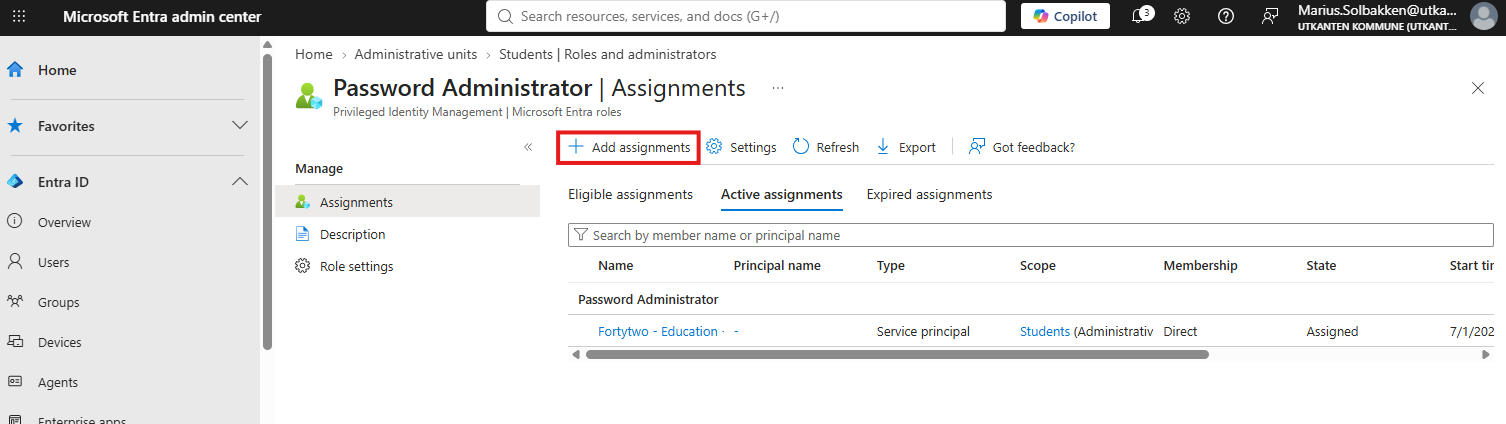
Grant the Fortytwo - Education enterprise application permanent active access.