Change email
Grant users access
Assigning access to the Change Email feature is done by locating the Fortytwo Universe app under Enterprise Apps.
On this page
In these steps, we will grant all users access to the self-service page. You might want to change this and only include your test users initially.
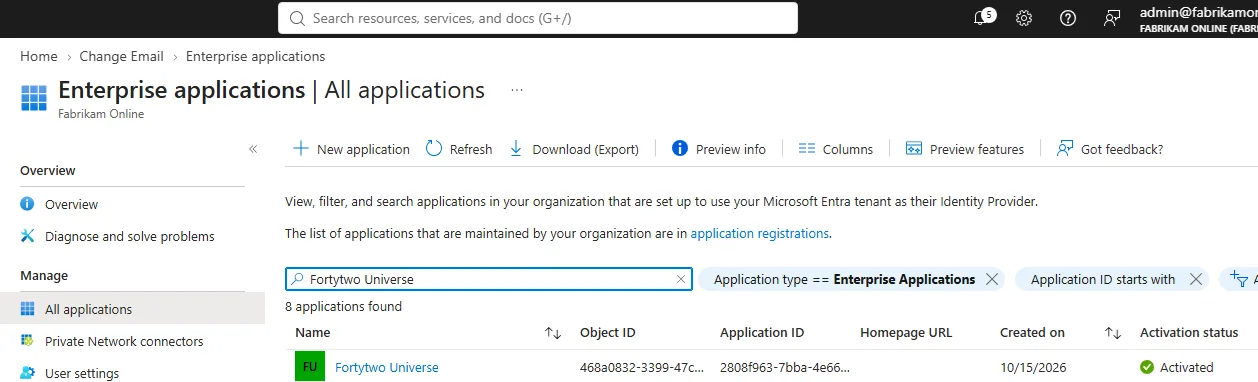
Locate the Fortytwo Universe app
In Entra under Enterprise Apps, locate Fortytwo universe.
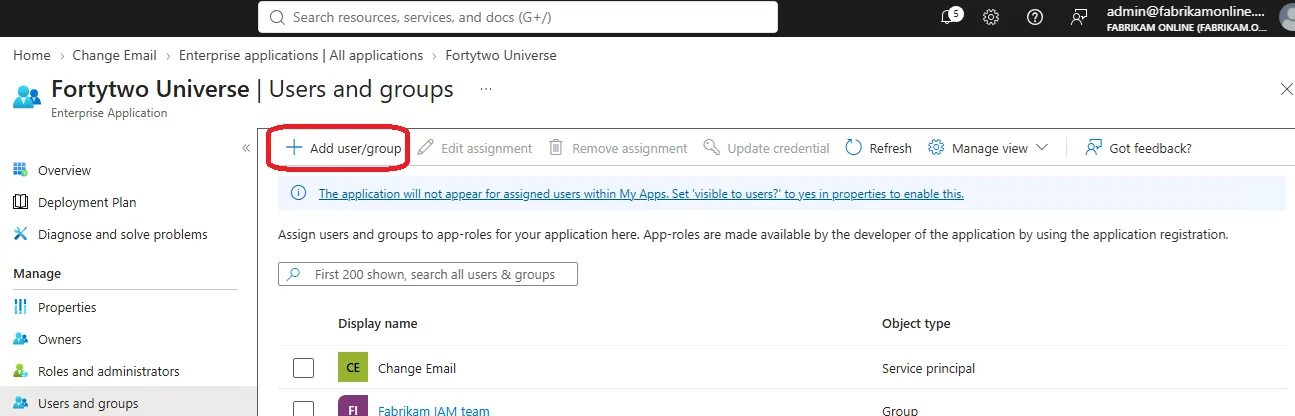
Add user/group
Under Users and groups, click Add user/group.
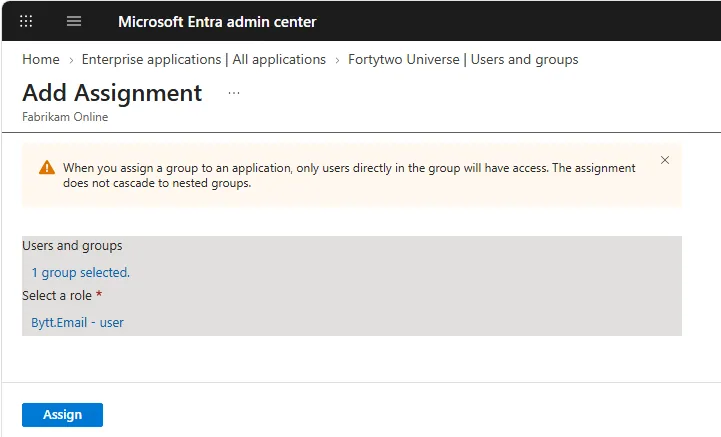
Assign users or groups
Assign any relevant user or group of users.
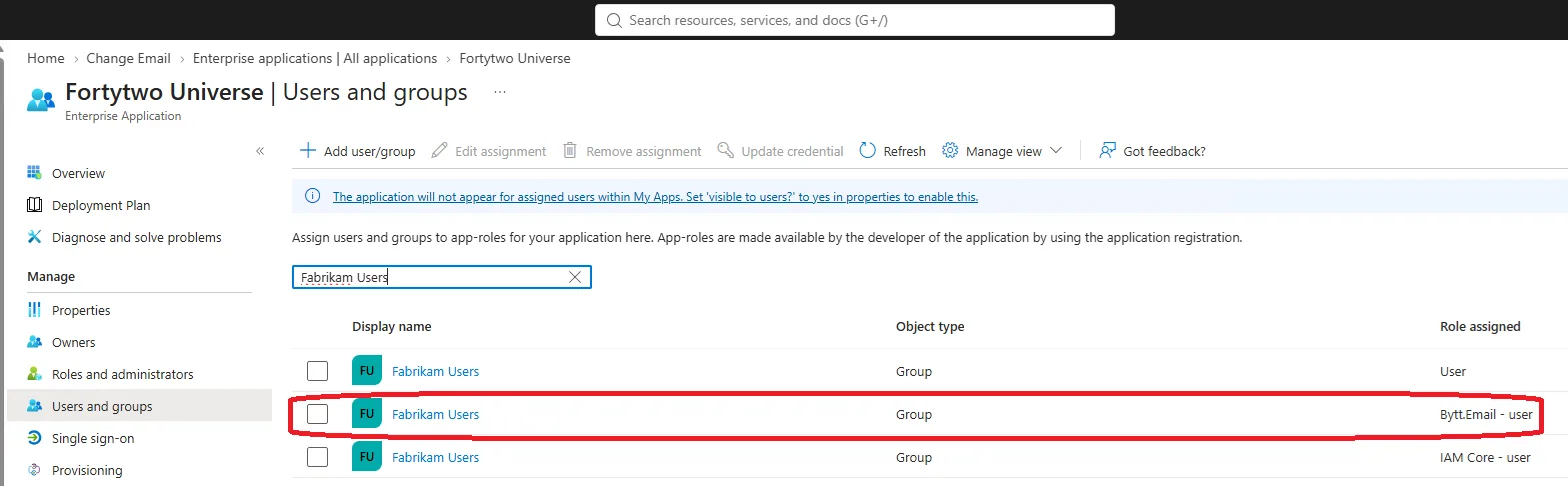
Check the assignments
The assignments should now look like this. Notice that if you utilize other Fortytwo services, these role assignments are also managed here.
Last updated 16 November 2026
Edit this page on GitHub