Apps
Agents
Every app has an agent, the AI your people talk to. Brief it in plain words, decide what it may do, and try it before anyone else does.
AI UniverseThe agent is the AI your people talk to in an app. It answers questions using the app's own tools and data, through the platform's AI gateway and its safety rules.
Open an app from Apps, choose Manage, then the Agents tab: The AI in this app.
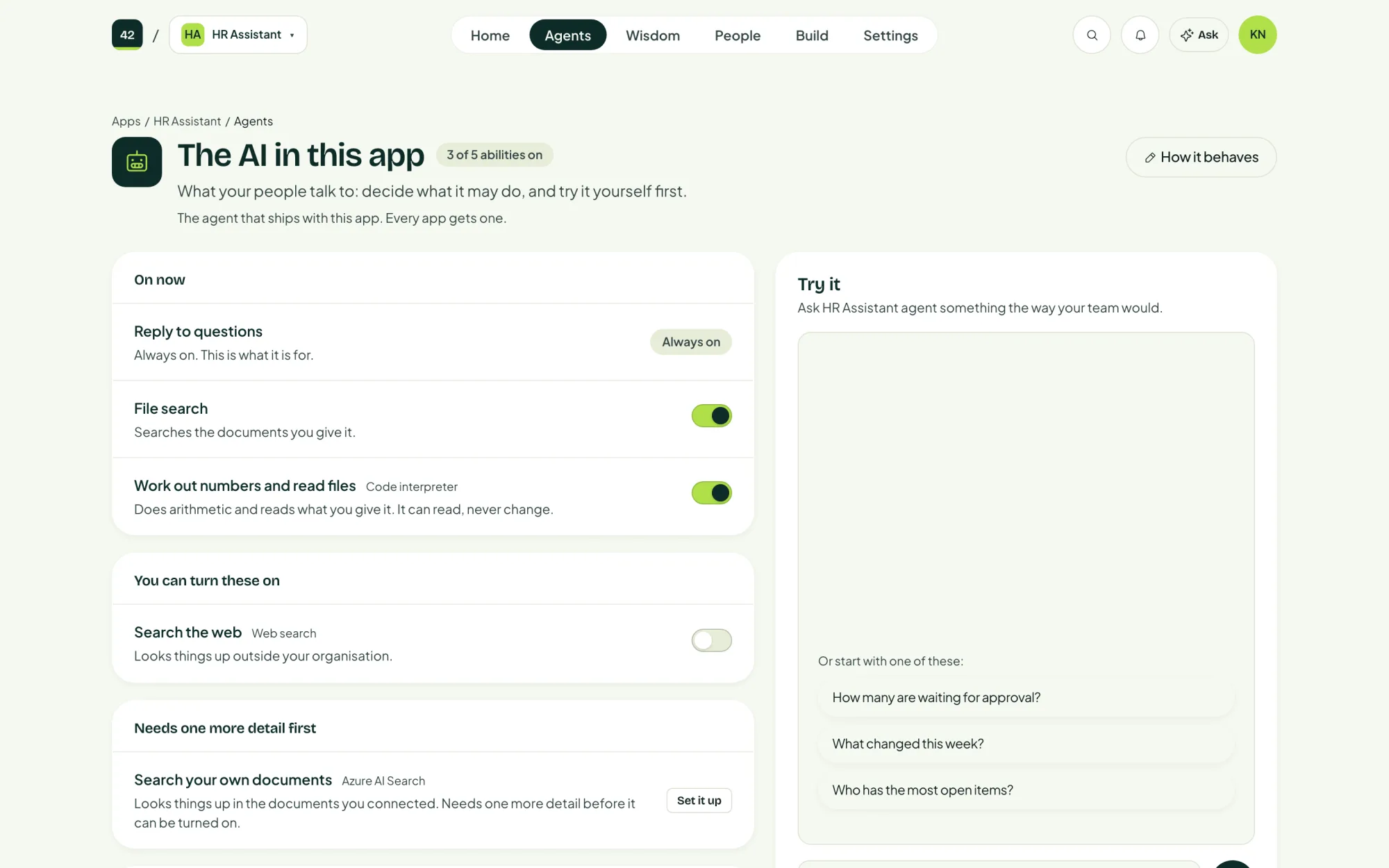
Decide what it may do
Reply to questions is always on. That is what the agent is for. Everything else the app can do, such as reading a list or creating a record, is listed in three groups:
| Group | Means |
|---|---|
| On now | The agent can do these today. |
| You can turn these on | Ready to use. Switch one on and the agent can use it from the next question. |
| Needs one more detail first | Needs something from you before it can be turned on, such as a key or a setting. |
Turning something off takes effect immediately and deletes nothing. You can turn it back on whenever you like.
Brief it
Under How it behaves, describe its job the way you would brief a new colleague on their first day:
You help the sales team research companies before a meeting. Be brief, and say when you are unsure.
You can also set How hard it works: Quick, Balanced or Thorough. Thinking longer gives better answers to hard questions, takes longer and costs more. See Cost.
Changes apply from the next question. Replies already given stay as they were.
Try it
The Try it panel lets you ask the agent something the way your team would, before you invite anyone. Questions about the app's own data work best.
The Ask button at the top of every app page opens the same conversation.
More than one agent
An app can have several agents with different jobs. Choose Add an agent, give it a name (letters, numbers and dashes), choose a model from the ones your platform offers, and describe its job.
Agents can only use the models an administrator has made available on the control panel's AI page.