Apps
Wisdom
Wisdom is what your teams' AI coding assistants follow while they build apps. Write your house rules once, and every app picks them up.
AI UniverseWhen developers build apps with AI coding assistants, such as Claude Code, Codex, GitHub Copilot or Cursor, those assistants need to know how your organisation works. Wisdom is where you tell them.
You write it once. Every app it reaches picks it up the next time a developer connects.
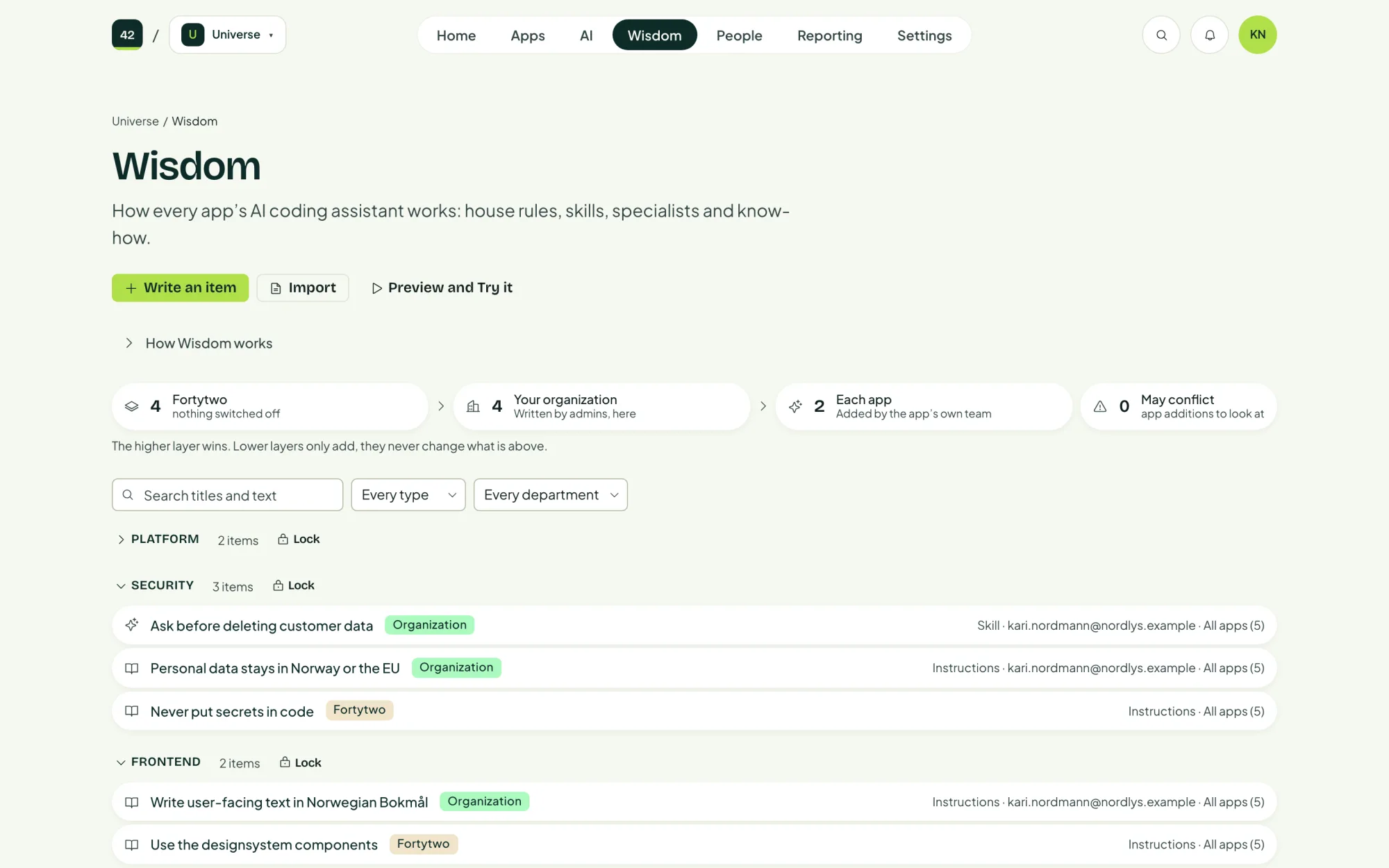
Three layers
Wisdom is read top to bottom. A higher layer always wins, and lower layers can only add to it, never change it.
| Layer | Written by | What it holds |
|---|---|---|
| Fortytwo | Shipped with the platform | Platform rules, which always apply, and starter items you may switch off. |
| Your organisation's rules | Administrators, on the control panel's Wisdom tab, with Write an item | Binding on every app it reaches: all apps, a department, a tag or chosen apps. |
| This app's additions | The app's own team, on the app's Wisdom tab, with Add to this app | Extra rules and know-how for one app. |
Every item answers three questions
- What should the AI do? The instruction itself, in plain words and Markdown.
- When should it use it? Always, when a task matches, when someone calls for a specialist, or when it is relevant.
- Who does it apply to? All apps, a department, a tag or chosen apps.
See what an app gets
On an app's Wisdom tab, Preview and Try it shows the whole document its coding assistant reads, in order, with every layer merged.
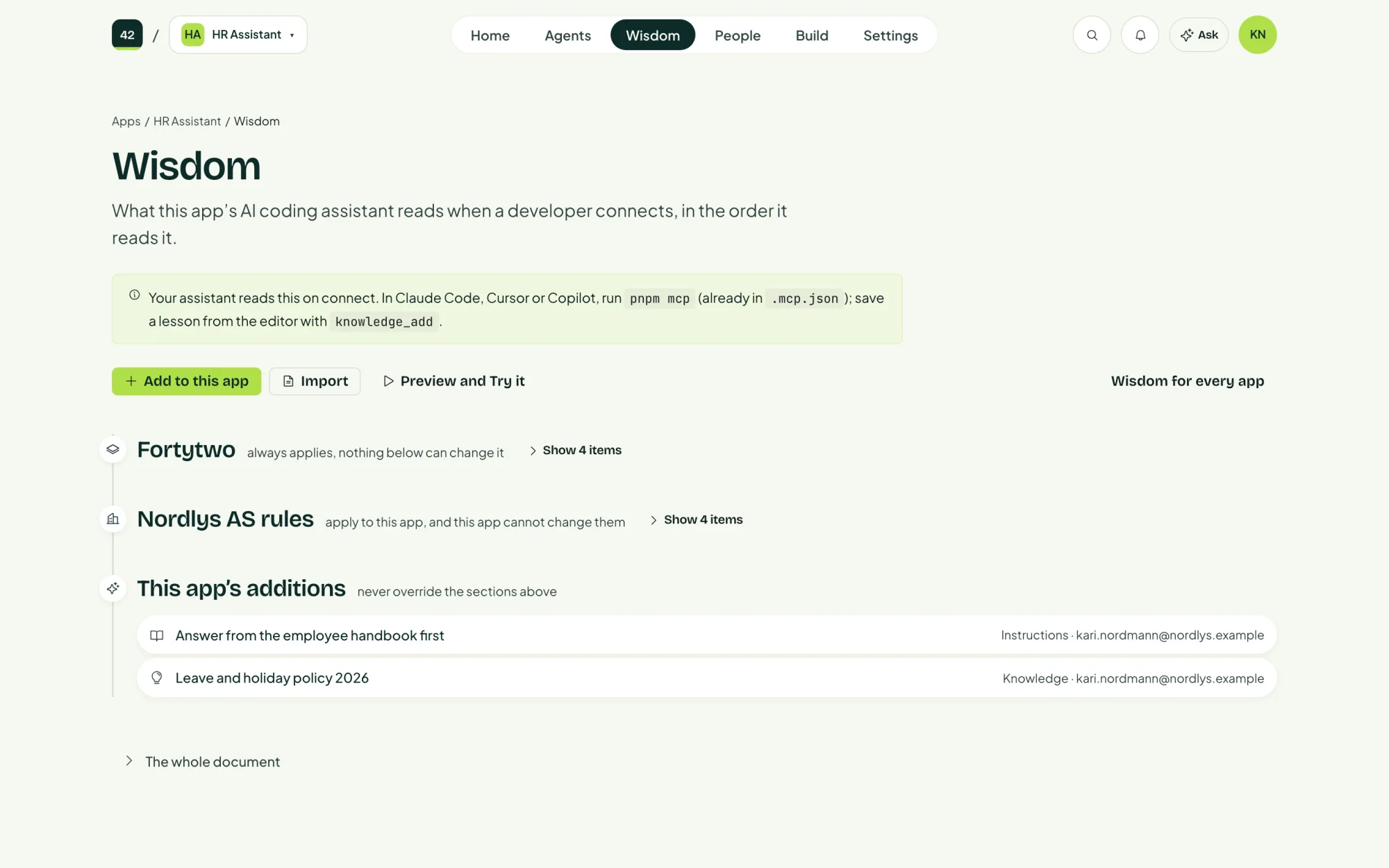
Import brings in instructions your teams already have: Claude Code skills (SKILL.md), agent files, Cursor rules (.mdc) or plain Markdown. You review each one before anything is saved.
Examples
- Always write user-facing text in Norwegian Bokmål.
- Use the designsystem components for every button, form and table.
- Never store personal data outside the app's own database.
- A specialist for writing database migrations, called when a task needs one.