Apps
Create an app
Name it, say what it should do, answer four compliance questions. The platform sets up the repository, the cloud resources, sign-in and the AI in about a minute.
On this page
An app is one AI solution for one purpose, such as an HR assistant or a contract reviewer. Each app gets its own repository, its own address, its own people and its own agent, and is kept apart from every other app.
Administrators can always create apps. Anyone else needs to be allowed under Who can create apps on the control panel's People page.
Open the dialog
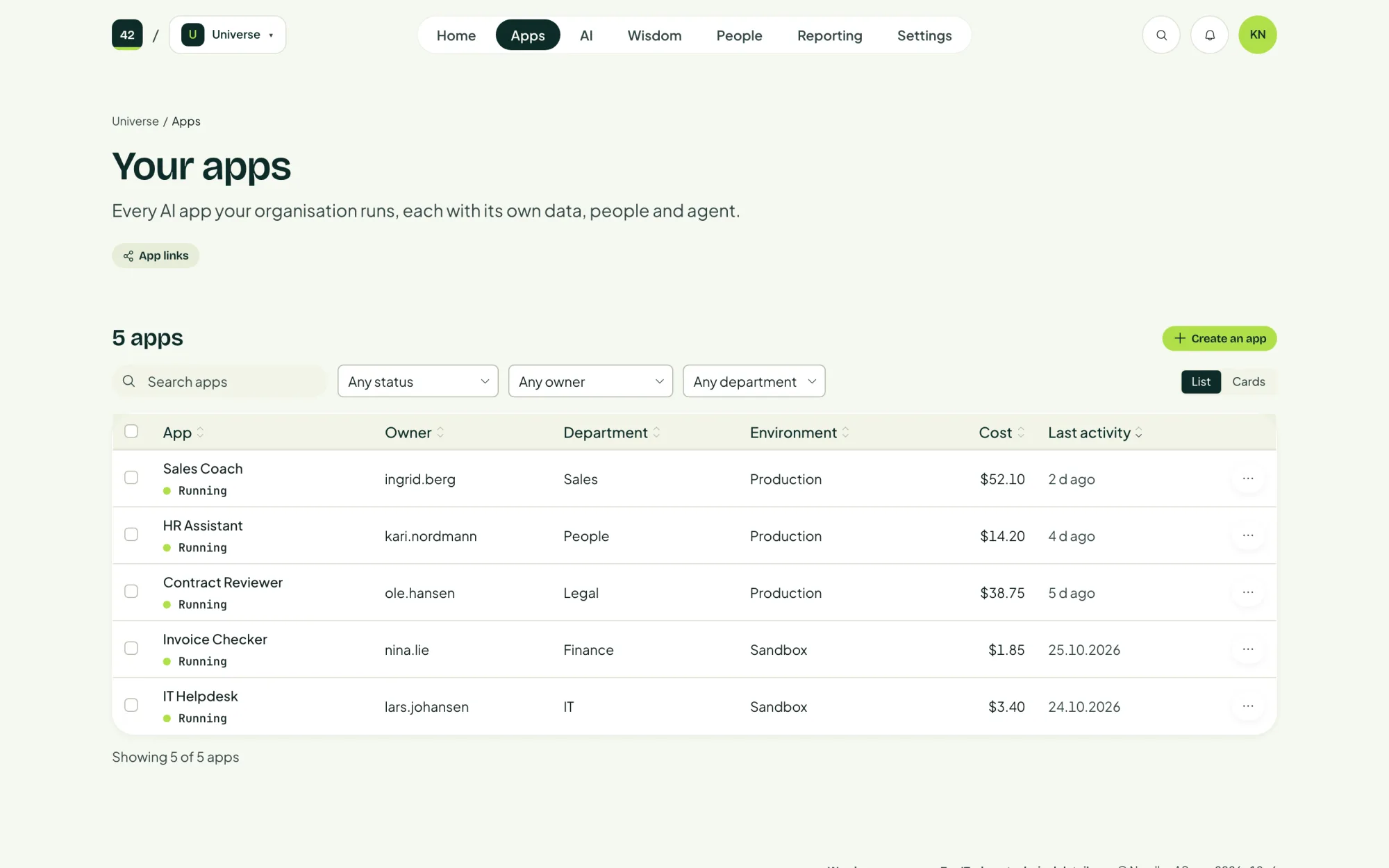
Choose Create an app on the home page or on the Apps page.
Fill it in
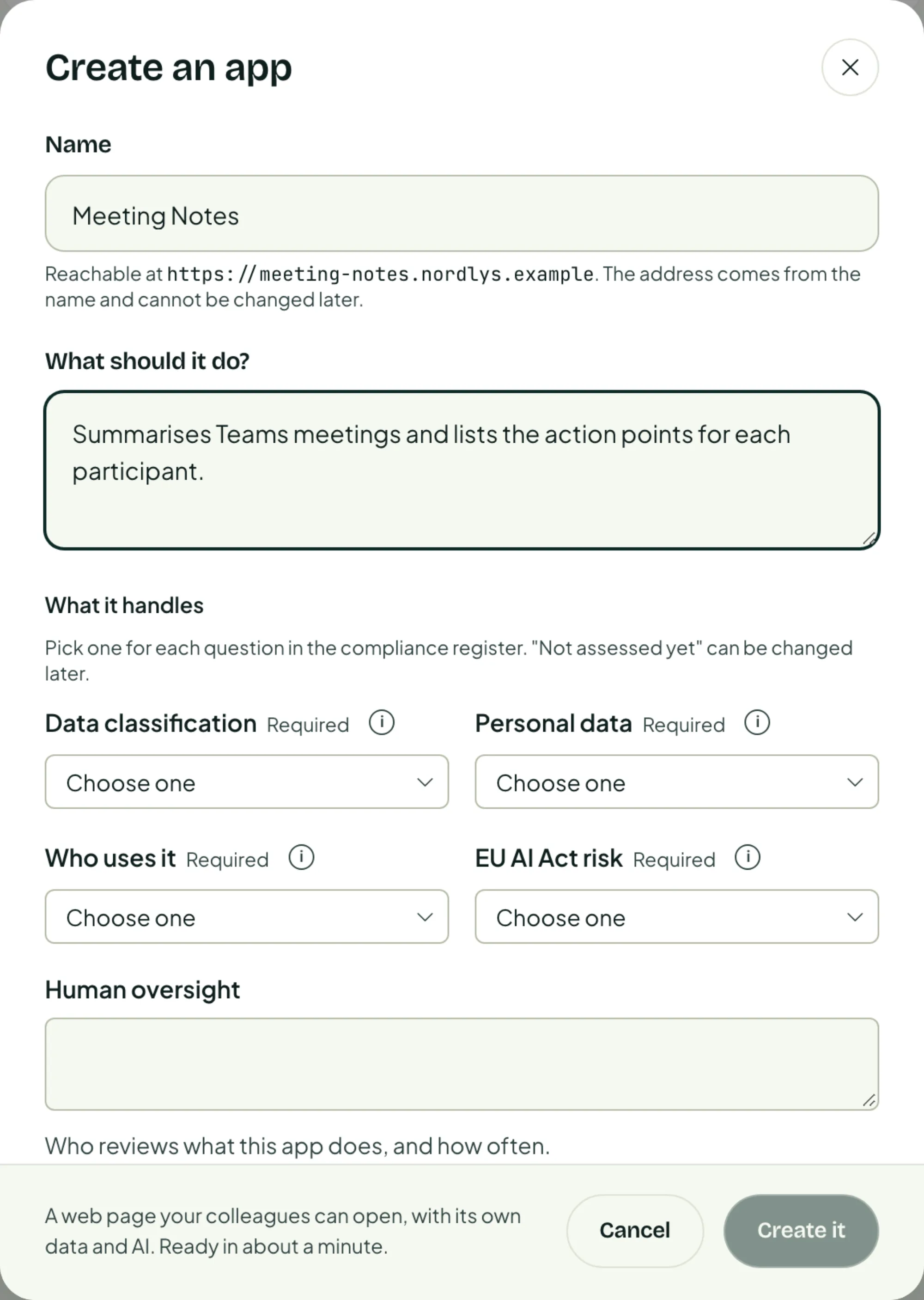
Name it and say what it should do
Name becomes the app's address. The dialog shows it as you type, for example https://meeting-notes.ai.yourcompany.com. The address cannot be changed later, so choose the name with care.
What should it do? is one or two plain sentences. It is also what the app's agent starts out knowing about its job.
Answer what it handles
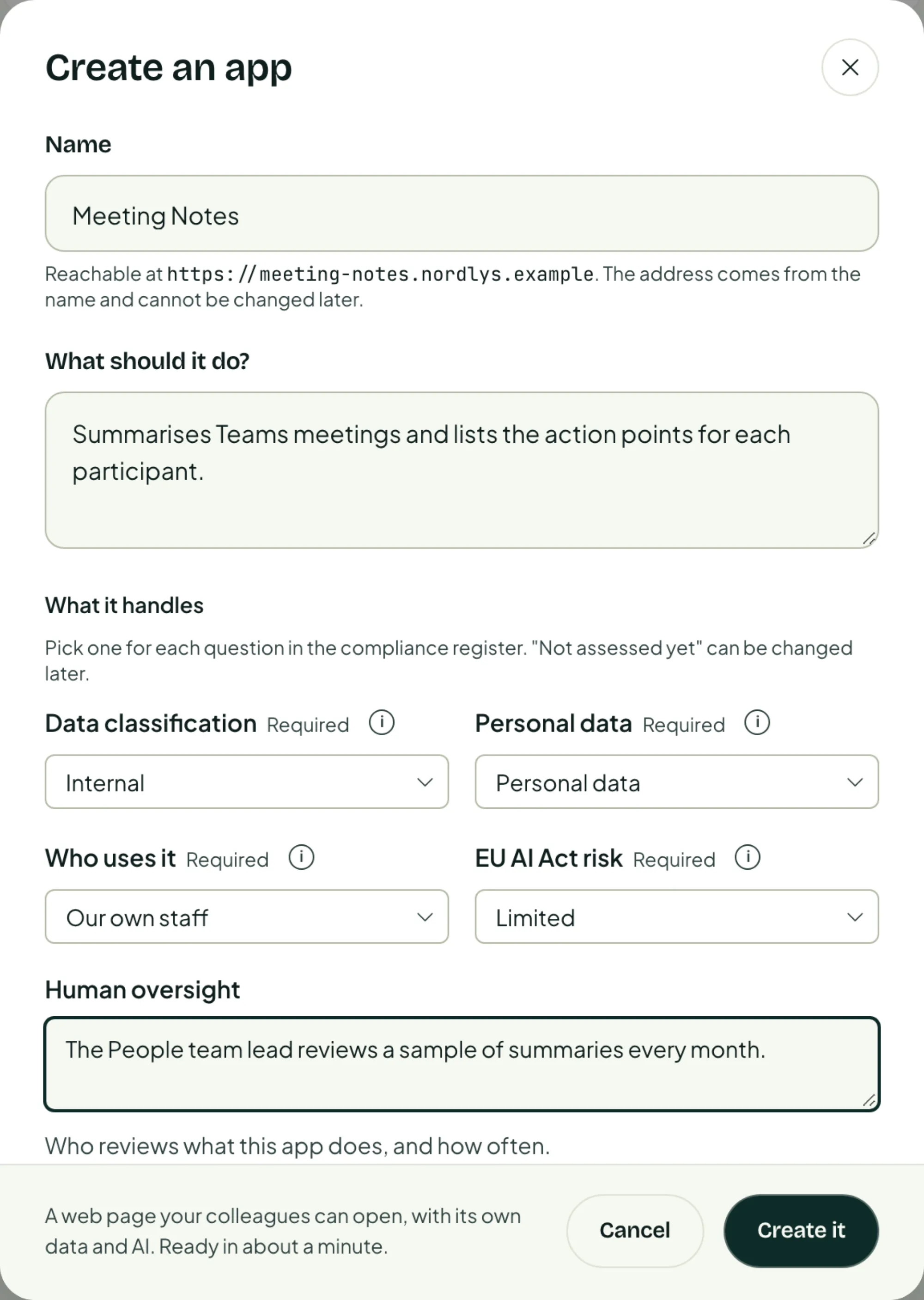
These four questions fill in the app's entry in your AI system register. Each is required, but Not assessed yet is an allowed answer you can change later.
| Question | What you choose |
|---|---|
| Data classification | How sensitive the data it works with is. |
| Personal data | Whether it handles personal data, and what kind. |
| Who uses it | Your own staff, or people outside the organisation too. |
| EU AI Act risk | The risk category under the EU AI Act. |
Human oversight is optional: who reviews what the app does, and how often.
Check the other options
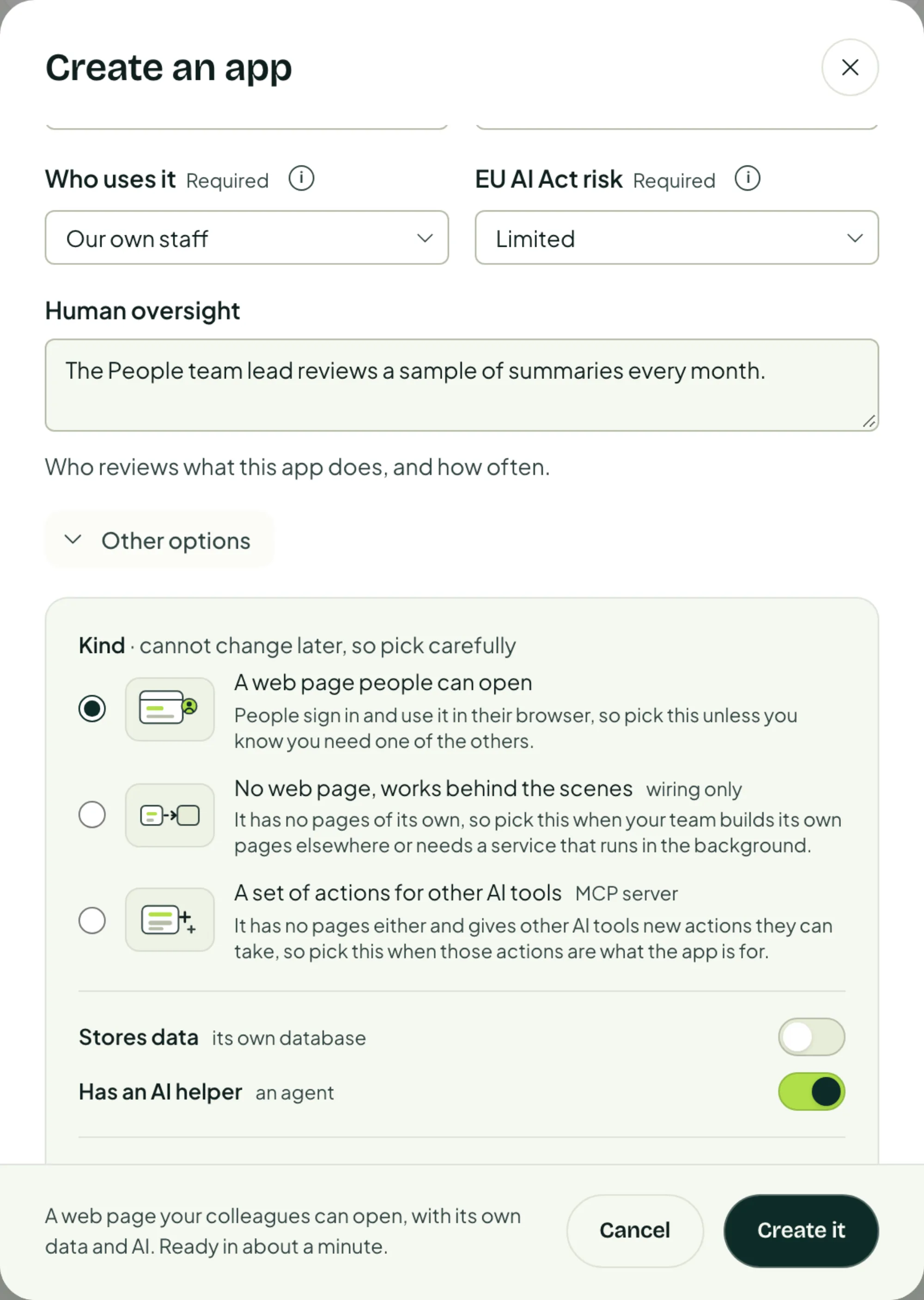
Most apps can leave Other options as they are. Open it to choose:
| Option | Choices |
|---|---|
| Kind | A web page people can open (the default), No web page, works behind the scenes, or A set of actions for other AI tools. |
| Stores data | Whether the app gets its own database. |
| Has an AI helper | Whether the app gets an agent. |
Create it
Choose Create it. The platform now builds the app and shows each phase as it goes: Repository, Sign-in, Cloud resources and Guardrails.
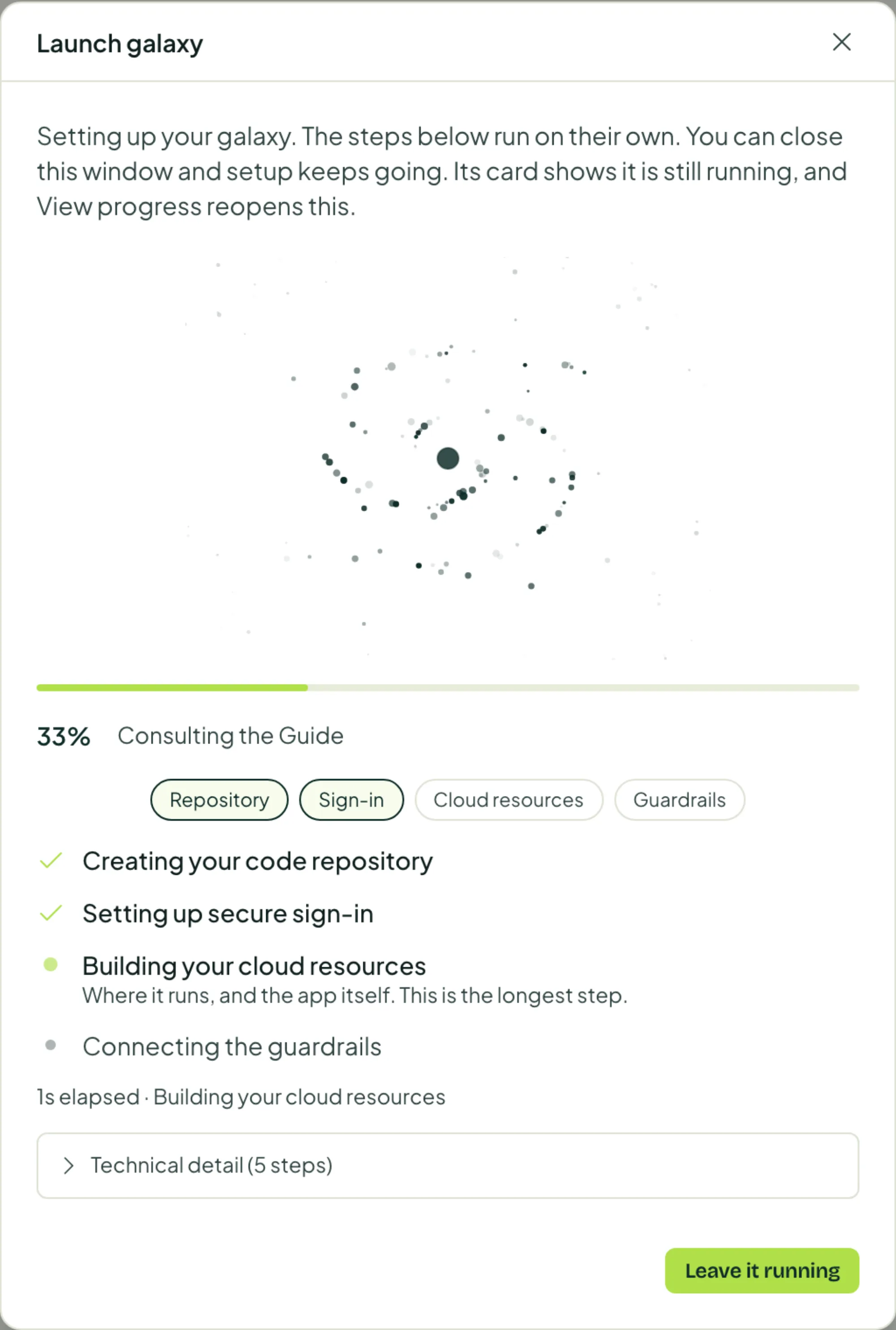
It is ready in about a minute. You don't have to wait: Leave it running closes the window and setup carries on.
When it is ready
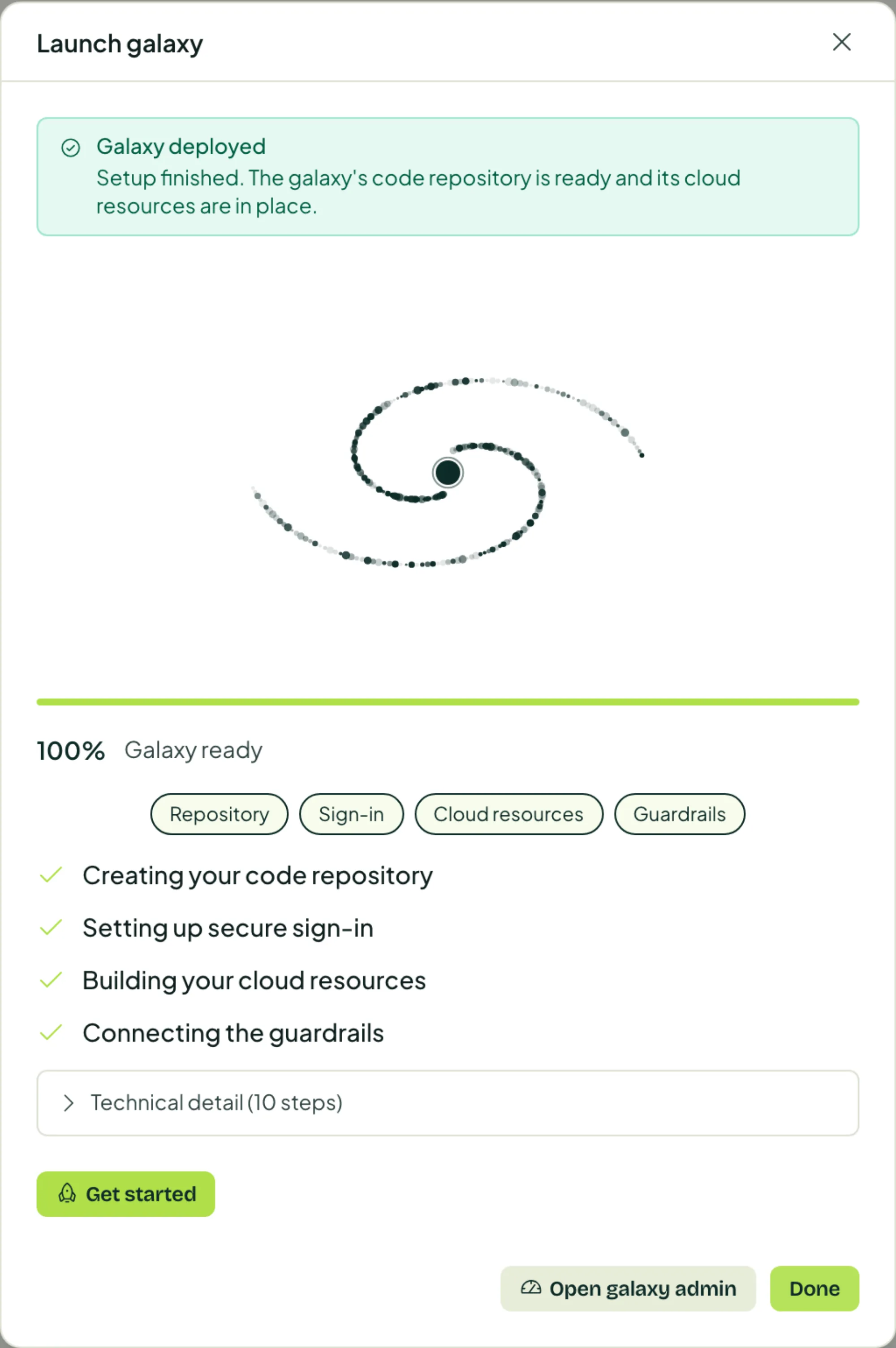
The app is running at its own address. Open it from the Apps page with Manage to set it up further.
| Next | Where |
|---|---|
| Decide what its agent may do and try it | Agents |
| Give colleagues access | People |
| Change what the app does | Build |
When setup does not finish
If a phase fails, the app shows Its setup did not finish and offers to finish it. Finishing picks up where it stopped and only builds what is missing. Nothing that already works is touched.