Apps
People in an app
Each app has its own list of people. Giving someone access to an app gives them that app and nothing else.
On this page
Open an app and choose the People tab: Give colleagues access to this app, and to nothing else.
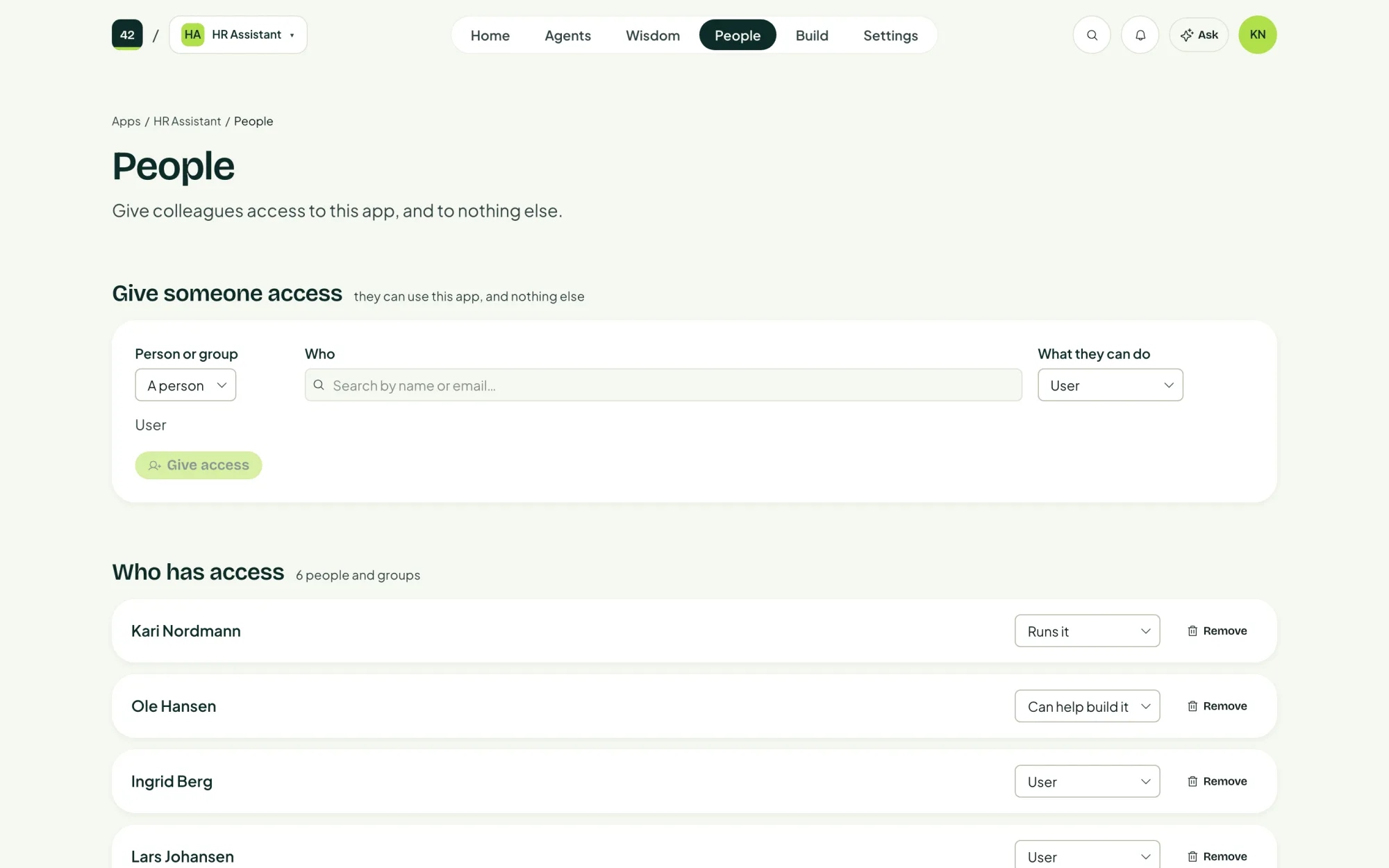
Access to an app and access to the control panel are separate. Giving someone access to one app does not let them into the control panel or into any other app.
Give someone access
- Under Give someone access, choose A person or A group.
- Under Who, search your directory by name or email.
- Choose What they can do.
- Choose Give access.
| Role | Can |
|---|---|
| Can use it | Open the app and use it. Cannot change how it works. |
| Can help build it | Everything above, and change what the app does, in Studio or in a coding agent. |
| Runs it | Everything above, and this page: decide who else gets in, and remove the app. |
The access applies from their next sign-in. Your directory can take a moment to list them, so the control panel marks them Just added until it does.
Give access to an Entra ID group rather than to one person at a time. When people join or leave the group, their access follows, with nothing to change here.
Guests
People from another organisation, invited as guests in your Entra ID, are marked Guest in the list.
Remove access
Choose Remove next to a person or group. Anyone already signed in keeps access until their sign-in expires, so removal is not instant.