Operations
Upgrades
Upgrade the platform to a new release from the control panel. It plans the upgrade, you approve it, and it runs inside your tenant.
On this page
New releases of AI Universe are installed from the control panel, under Settings, Platform version. Nobody needs to reinstall anything, and no one outside your tenant is involved.
When a new version is out, the home page shows it under Needs attention with Open Upgrade.
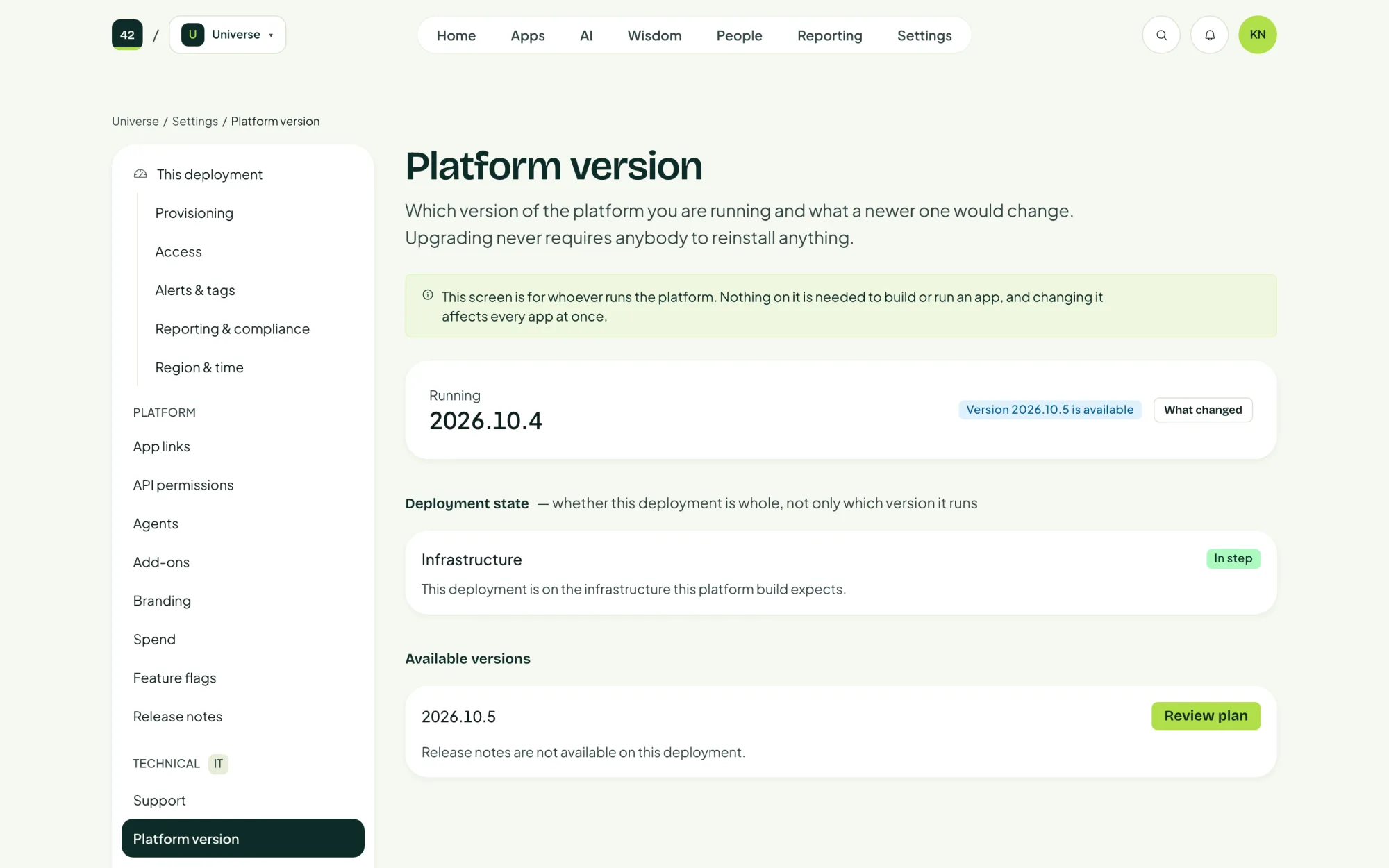
The page shows the version you are running, the newer versions available, What changed in each, and the Deployment state.
How an upgrade runs
Review the plan
Choose the version, then Review plan. The platform reads the release and shows what will change.
Approve it
An administrator approves the plan. Nothing happens before that.
It runs inside your tenant
- Check: reads the release and the plan again.
- Import: copies the release into your deployment's own registry.
- Infrastructure: applies any changes to the Azure resources, with the running apps kept on the current version.
- Health: the database, Key Vault, AI gateway and Foundry must all answer.
- Migrate: updates the database. Migrations only add, never remove.
- Roll: moves the control panel and the kernel to the new version.
- Verify, then observe: checks the new version, and again a while later.
Your apps keep running throughout.
Apps and the platform libraries
Your apps use Fortytwo's libraries for sign-in, the AI gateway and their runtime. When a new version is out, Dependabot offers the update as a pull request in each app's repository, and the app's team merges it when it suits them.
Read What changed before you approve. Release notes under Settings has the full history in plain language.