Define policy
With Fortytwo Universe being API first, this service has not yet made it to the UI, so talking to the API is required. For defining a policy, the following is required:
- Create a target group in Entra ID
- Create a scoping collection, to define which students can be targeted by a certain policy
- Create the policy definition
Step 1 - Create a group in Entra ID
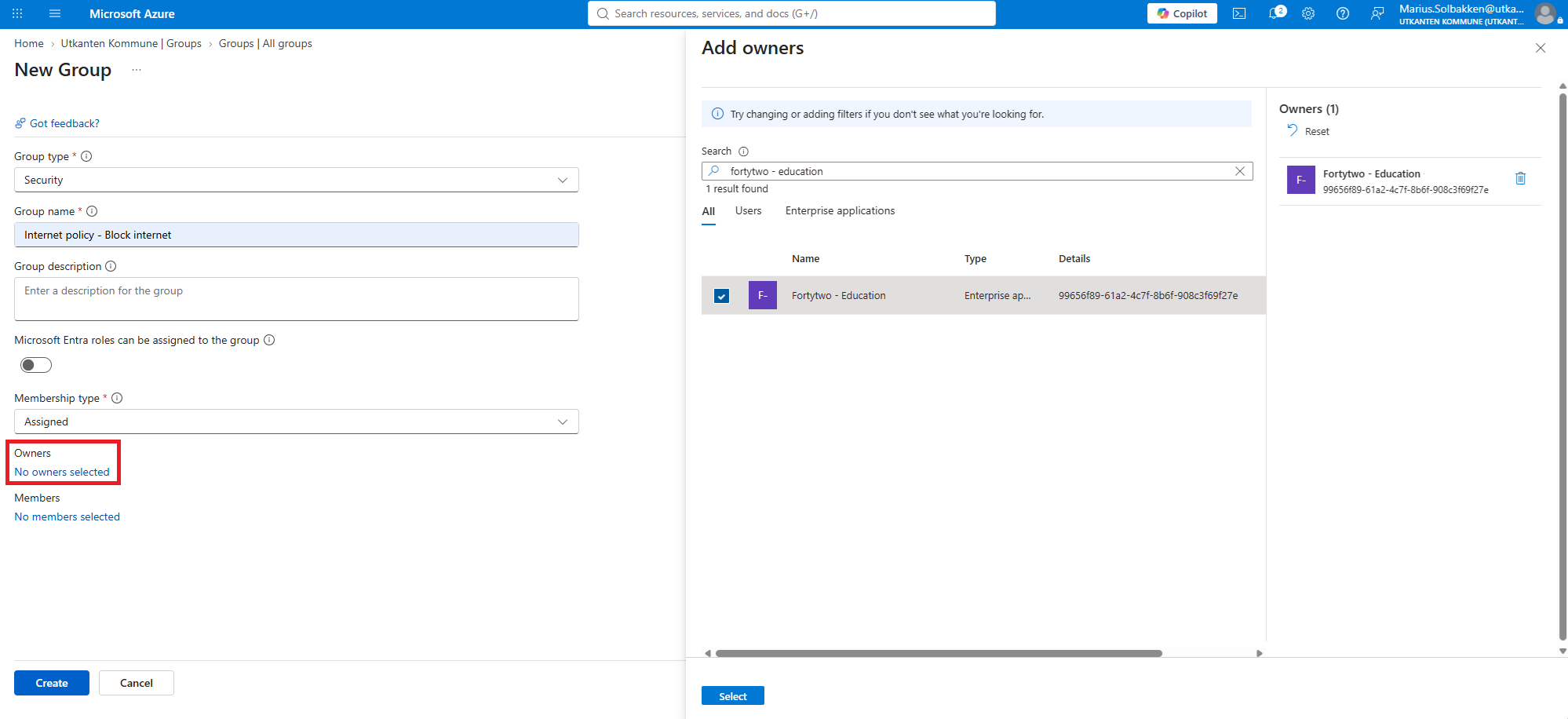
In Entra ID, create New group with a name that makes sense to you.
Make sure to set the Owner to the Fortytwo - Education enterprise application. This grants us access to manage the group memberships.
Step 2 - Create a scoping collection
A scoping collection is used to define which students can be targeted by a certain policy. This means that you can target certain policies to All students at School X, All students in municipality Y or All students in 8th grade.
Please check out the collections documentation for defining collections.
The below definition is often used, for targeting all students by finding all identities that have the relationship subtype of student:
{
  "objectType": "Identity",
  "name": "All students",
  "description": "All students",
  "condition": {
    "groupOperator": "AND",
    "conditions": [
      {
        "id": "relationshipSubType",
        "field": "relationshipSubType",
        "operator": "Equals",
        "value": "student"
      }
    ]
  },
  "metadata": { "tags": ["internet policy"] }
}
Step 3 - Create policy
To create a policy, you need to POST to the https://api.fortytwo.io/education/beta/policy/ endpoint.
{
  "displayName": "Block internett",
  "adminNotes": "Used by rule id 3783 in Cisco ASA central firewall",
  "enabled": true,
  "scopingCollection": "11111111-1111-1111-1111-111111111111",
  "targetEntraIdGroupObjectId": "22222222-2222-2222-2222-222222222222"
}
The API will verify that the collection exists, that the target Entra ID group exists and that the group can be written to (Checks this by updating the description).