IAM Administrator
Identity Universe Administrator
To become an Identity Universe IAM administrator certain role criteria must be met.
Administrators must hold the following three roles to get full Identity Universe access for the organisation data:
- IAM Core - user
- IAM Core - administrator
- Collection Criteria - Administrator
- Education - Administrator
User assignments
To assign IAM Administrator access a user or group must be assigned both the IAM Core - user and IAM Core - administrator roles in the Fortytwo Universe enterprise application. To work with Collections the role Collection Criteria - Administrator must also be assigned.
We recommend using Entra security groups for assigning these roles to make access management easier.
-
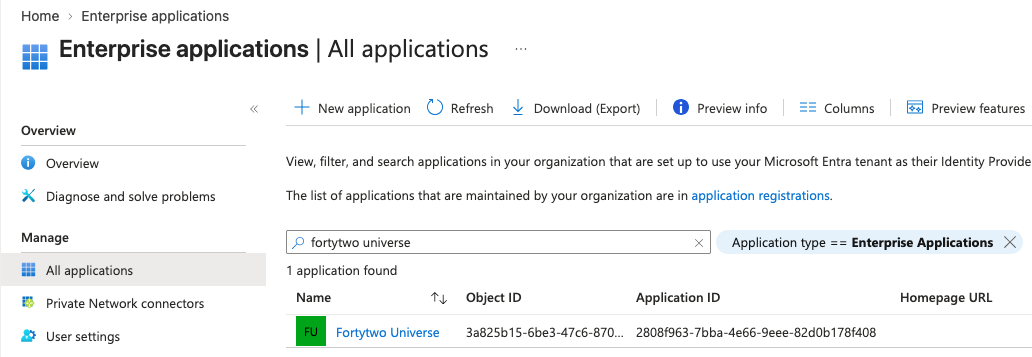
Find the Fortytwo Universe enterprise application
-
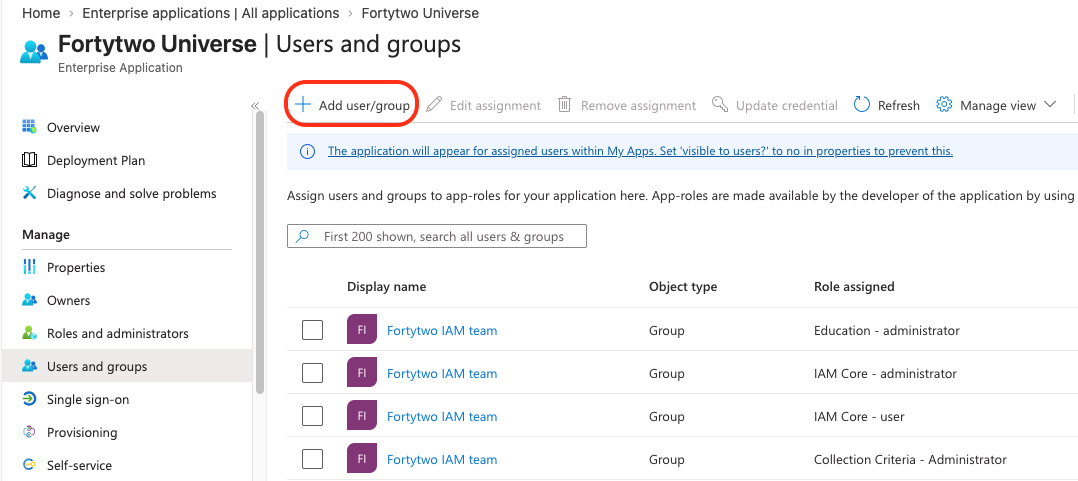
In User and groups choose Add user/group
-
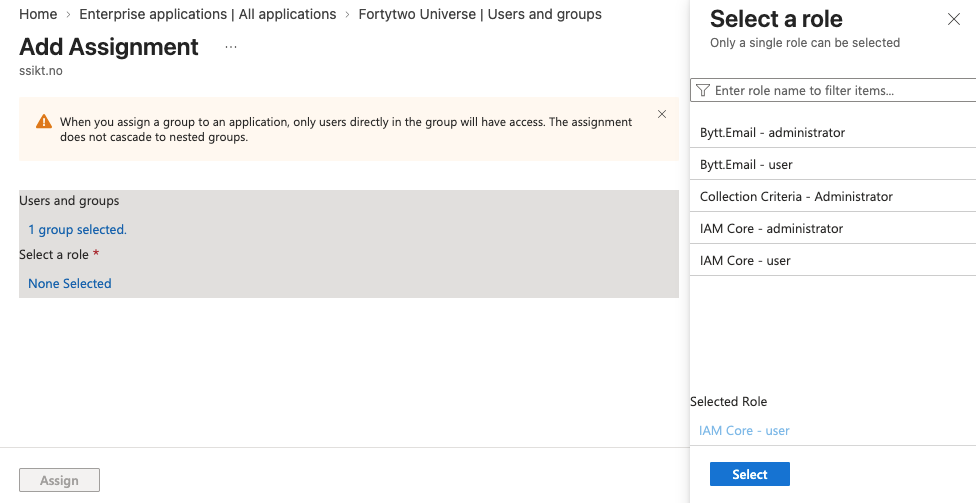
Click User and groups and select a group and choose Select. Then click Select a role and Select. To add the permission click Assign. To assign multiple roles repeat the process for the same group and add additional permission.
Administration
When assigned the IAM Core Administrator role the Administration blade becomes accessible.
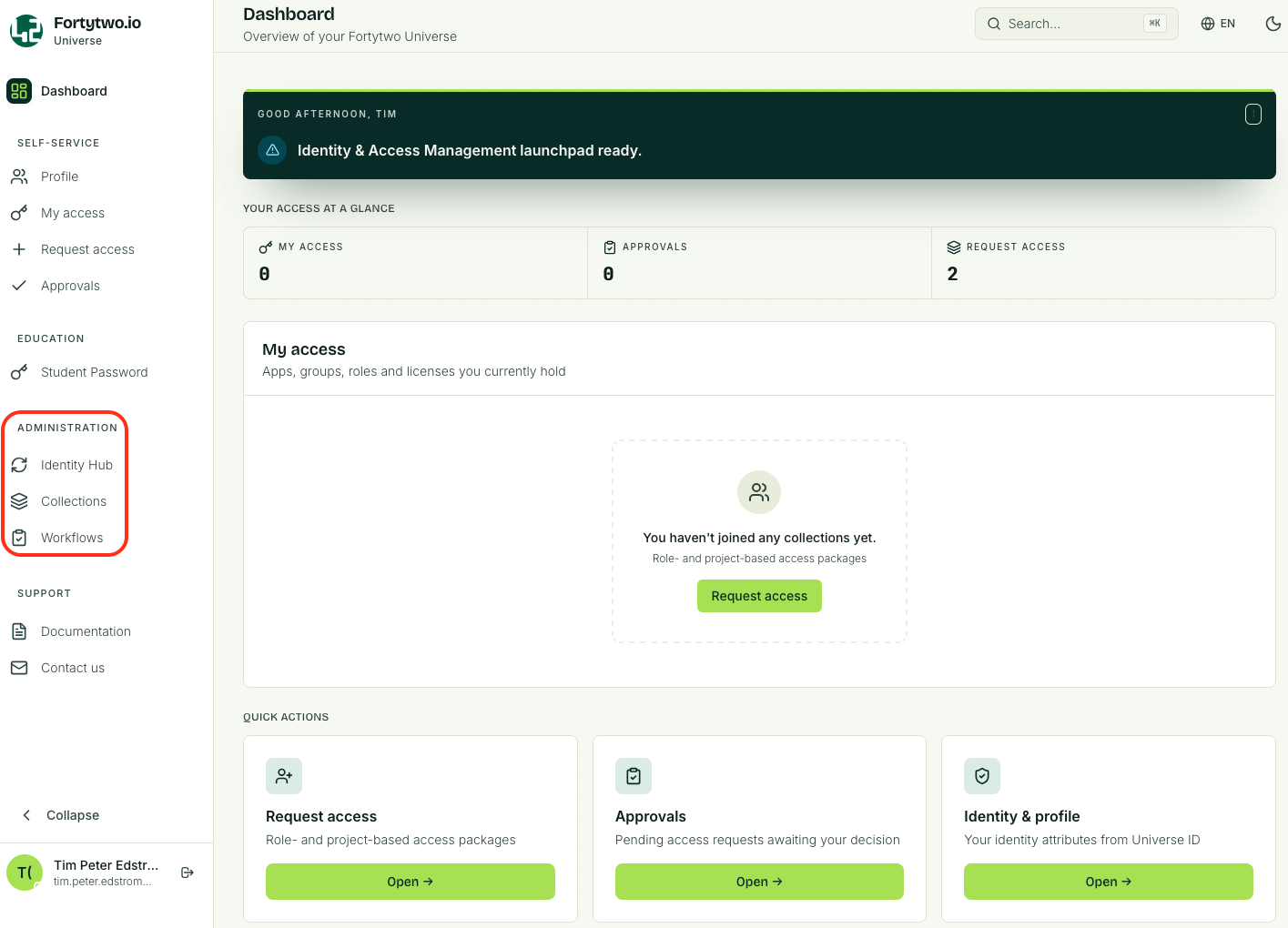
The Administration blade enables insight into the core of Identity Universe.
- Identity Hub holds the IAM core data, connector data and sync rules
- Collections is where criteria collections and joinable collections are maintained
- Workflows is where automatic flows can be configured. Workflows work with collections, based on members entering or leaving a collection, and can trigger webhooks.